 Classroom Noise Monitor
6 best online noise monitors your students will actually love (I tested them all)
 Suprity Acharyya
Last term, during a group activity that was supposed to be "quiet collaboration," I caught myself doing the thing I swore I'd never do: standing at the front of the room, arms crossed, going "shhh" every forty seconds like a broken sprinkler. By 2 pm my voice was gone and the noise was not.
That week I decided to stop shushing and start outsourcing. I pulled up every free online noise monitor I could find and ran them in front of my actual students over the next several weeks. Silent reading, group work, the chaos window right after lunch. Some tools got ignored by day three. A couple of them changed how my room sounds.
Everything on this list runs in a browser. No installs, no IT tickets, and each one is either free or has a free tier you can genuinely use.
One thing before we start, because I'd rather you hear it from me than figure it out and feel tricked: one of the tools on this list is mine. This site is Classroom Noise Monitor, and I helped build the tool of the same name. I'll tell you exactly why it exists, and I'll give you its flaws too. If that makes you skeptical, good. Skeptical is the right way to read any listicle on the internet.
How I tested these
My classroom, my students, several weeks of real lessons. I ran each tool during at least three types of activity: silent reading (where the target is near-zero noise), group work (where some noise is the point), and transitions (where all hope usually goes to die).
I judged them on the things that matter after the novelty wears off. Does it still hold student attention in week two? Can I adjust sensitivity so group work doesn't trigger constant alarms? Does it work with a normal laptop mic? Does any audio leave the device? And is the free version actually usable, or is it a demo wearing a free hat?
A few tools you may have seen on older lists didn't make the cut. Classcraft's volume meter is gone since the platform changed hands. Zero Noise Classroom only works on ChromeOS. Physical traffic-light gadgets like the Yacker Tracker are fine but they're hardware, and this list is about tools you can open in the next thirty seconds.
The 6 best online noise monitors, ranked
1. Classroom Noise Monitor (yes, this one is ours)
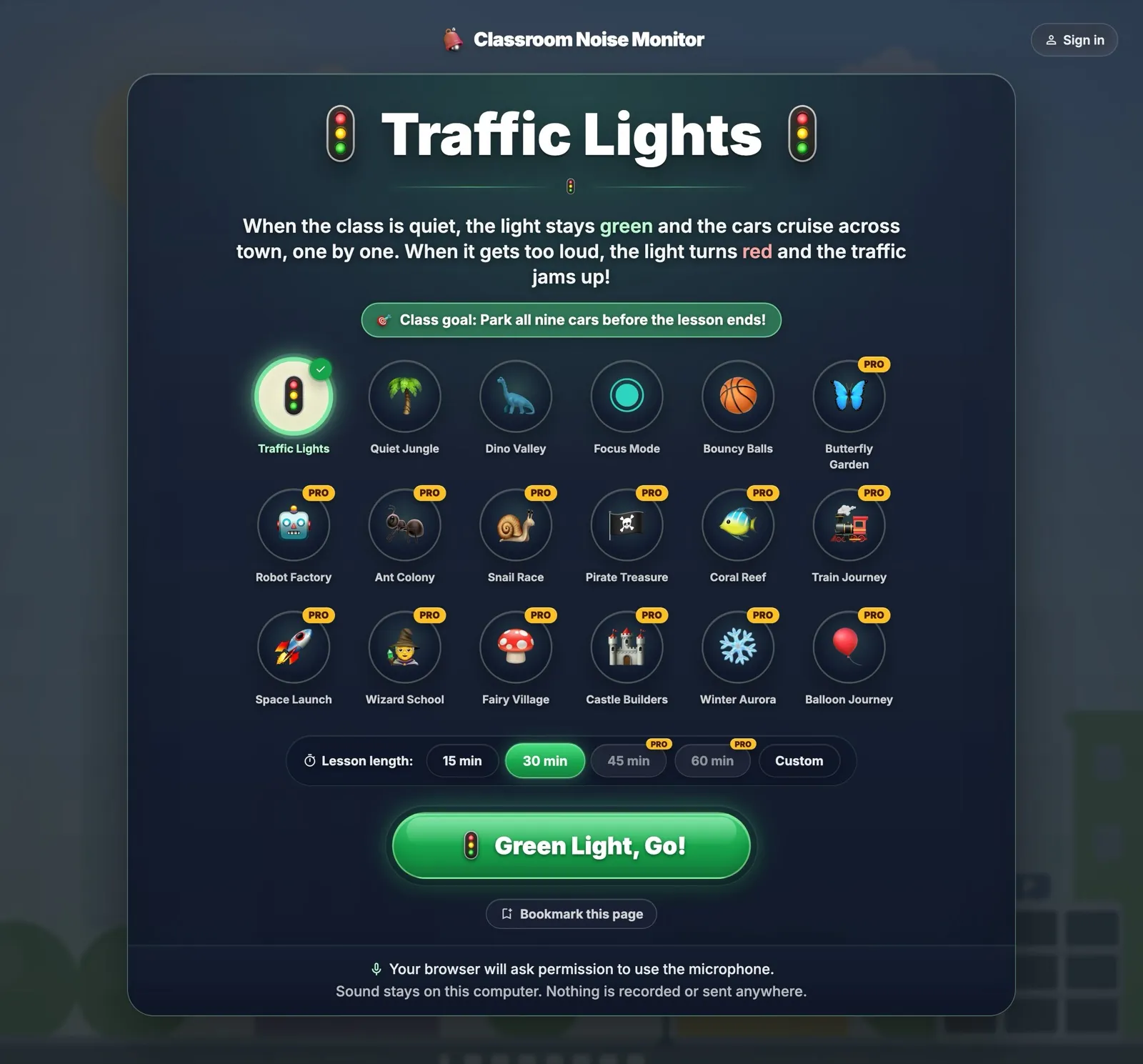
Here's the part where most listicles get shady. The site you're reading is classroomnoisemonitor.com, and this tool is the one I helped build. Rank it wherever you like in your head. But let me tell you why it exists, because the reason is the review.
I built it after watching my class fall out of love with every meter I projected. The pattern was always the same: two great days, then the tool became wallpaper. Kids stopped caring because nothing happened when they stayed quiet. There was no story, no progress, nothing to lose.
So this one turns quiet into a game with actual progression. You pick a theme, and the scene grows as the class keeps the noise down. In Dino Valley, eggs hatch. In Quiet Jungle, trees grow. Each theme has nine milestones to hit across a lesson, and when the room gets too loud, the scene visibly reacts. Trees wilt. Traffic jams. Robots stop working. Nobody has to say anything, which is the whole point. The room self-corrects because someone whispers "the tree is dying" with more moral urgency than I have ever managed.
The details that matter: it calibrates to your room's baseline on its own, there's a sensitivity slider you can adjust mid-lesson when you switch from reading to group work, and all the sound analysis happens on your device. Nothing is recorded, nothing is sent anywhere. No account needed either.
My favorite moment of testing: a student stopped another kid mid-sentence, pointed at the screen, and negotiated a whisper agreement so they wouldn't lose the eighth milestone. I did nothing. I just stood there, unemployed.
Best for: K-6, and honestly any class that needs quiet to feel like a shared mission instead of a rule. Focus Mode works for older kids who'd roll their eyes at dinosaurs.
Pricing: free plan gives you 5 of the 18 themes and 30-minute sessions. Lifetime Pro is a $20 one-time payment. No subscription, which was a deliberate choice because I hate them too.
Why it's not free: Running the site really does cost money, from the domain and hosting to the new themes we keep adding and the tools we build with. But everyone already has enough subscriptions, so instead of adding another we ask for one payment of $20 for lifetime access, with no recurring fee. And there are always free themes you can use for 30 minutes at a time, then reset to start another 30 whenever you like.
2. Bouncy Balls
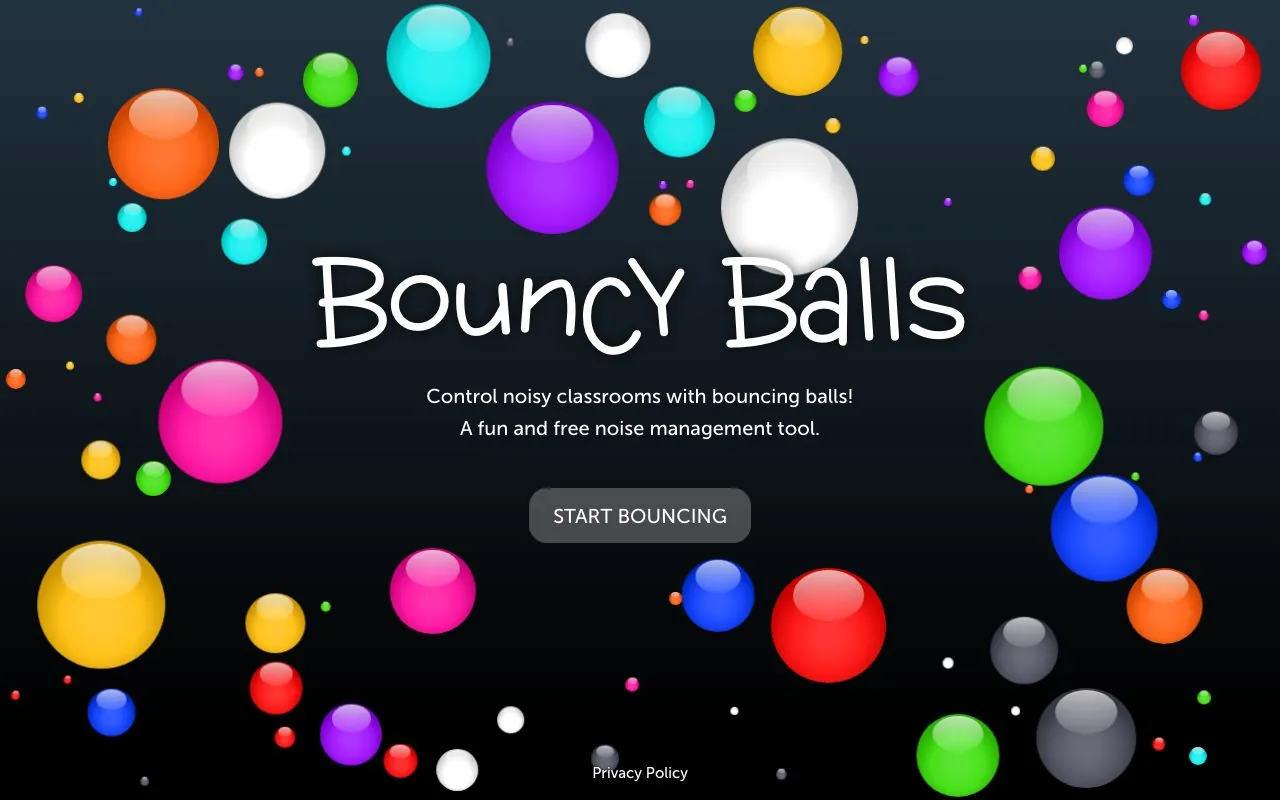
The classic. If you've seen one noise meter in a classroom, it was probably this one. Colorful balls sit at the bottom of the screen and bounce higher as the room gets louder. That's it. That's the product, and there's a reason it's still everywhere: it's instant, it's charming, and it's completely free.
My students loved it immediately. Kindergarten-level delight, even from kids who are far too cool for most things. Setup took eleven seconds, including granting mic permission.
Now the con that every teacher discovers and no listicle mentions: the balls bounce when it's loud, and bouncing is fun. You can see the problem. By day two, a corner of my class had turned it into a game of "how high can we make them go." Bouncy Balls shows noise, but it accidentally rewards it. It has no goal, no progression, and no reason for the room to want quiet other than your face.
Still. For short bursts and transitions with little ones, it's a joy, and it costs nothing.
Best for: K-3, transitions, short activities, first-time noise meter users.
Pricing: free, no account, no catch.
The honest con: rewards the exact behavior you're trying to reduce, and the novelty fades fast without any goal to chase.
3. Too Noisy
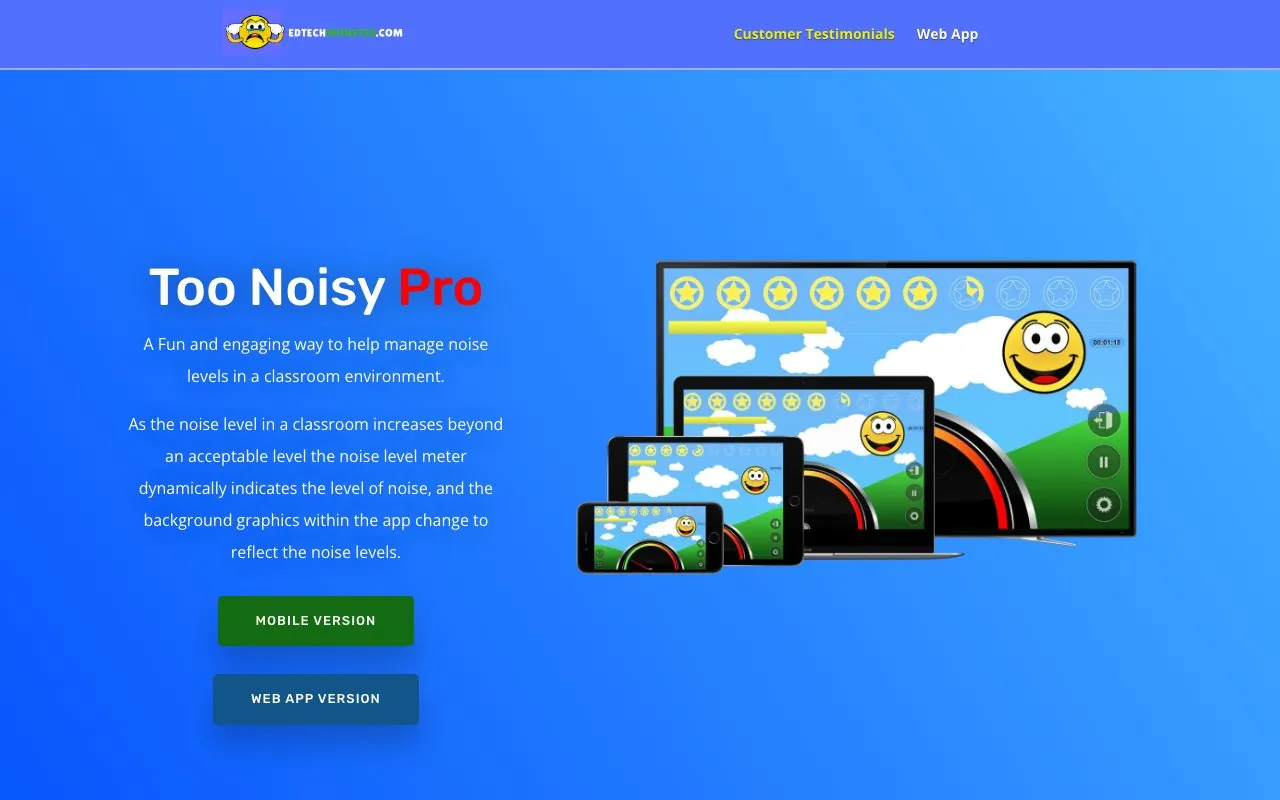
Too Noisy is a purpose-built classroom noise meter with a proper personality. A cartoon face smiles while the room is calm and covers its ears when it gets loud, backgrounds change with the noise, and a star system rewards the class for keeping things down. There's an alarm when the room crosses your threshold, and you can even record your own voice as the alert, which my students found hilarious for exactly one day.
It's a polished, well-designed tool that clearly came from someone who has stood in front of a loud room. The sensitivity slider works well, and the pause button (for when you're the one making the noise) is a small, smart touch.
The catch is pricing clarity. The mobile apps have a free version, but the web app, the one you'd actually project from a laptop, runs on a 30-day trial and then wants a subscription. Older articles keep calling the web version free. As of my testing, it isn't, so plan accordingly.
Best for: K-5, whole-class norm setting, teachers who want a friendly mascot doing the nagging.
Pricing: free mobile app with a paid Pro tier; the web app is a 30-day free trial, then a subscription.
The honest con: the visuals are dated compared to newer tools, and the "free" web version isn't free anymore.
4. ClassDojo noise meter
If your school already lives inside ClassDojo, this one's a no-brainer, because it's already sitting in your toolkit next to the timer and the group maker. The meter is simple and clean, and it plugs into the ecosystem your students already care about, which matters, because Dojo points are a currency my class treats with the seriousness of central bankers.
Used together, meter plus points is genuinely effective. Quiet stretch, class earns a point, done. The meter alone, though, is basic. It shows noise. It does not gamify it, react to it, or do anything clever with it.
And if you're not already a Dojo school, this is a lot of platform to adopt for a volume bar. You'll need accounts, you'll want parent buy-in, and you're inside a whole behavior-management philosophy that not every teacher wants.
Best for: teachers already using ClassDojo daily. Full stop.
Pricing: free within ClassDojo.
The honest con: pointless to adopt just for the noise meter, and the meter itself is the least interesting part of the toolkit.
5. Classroomscreen sound level widget
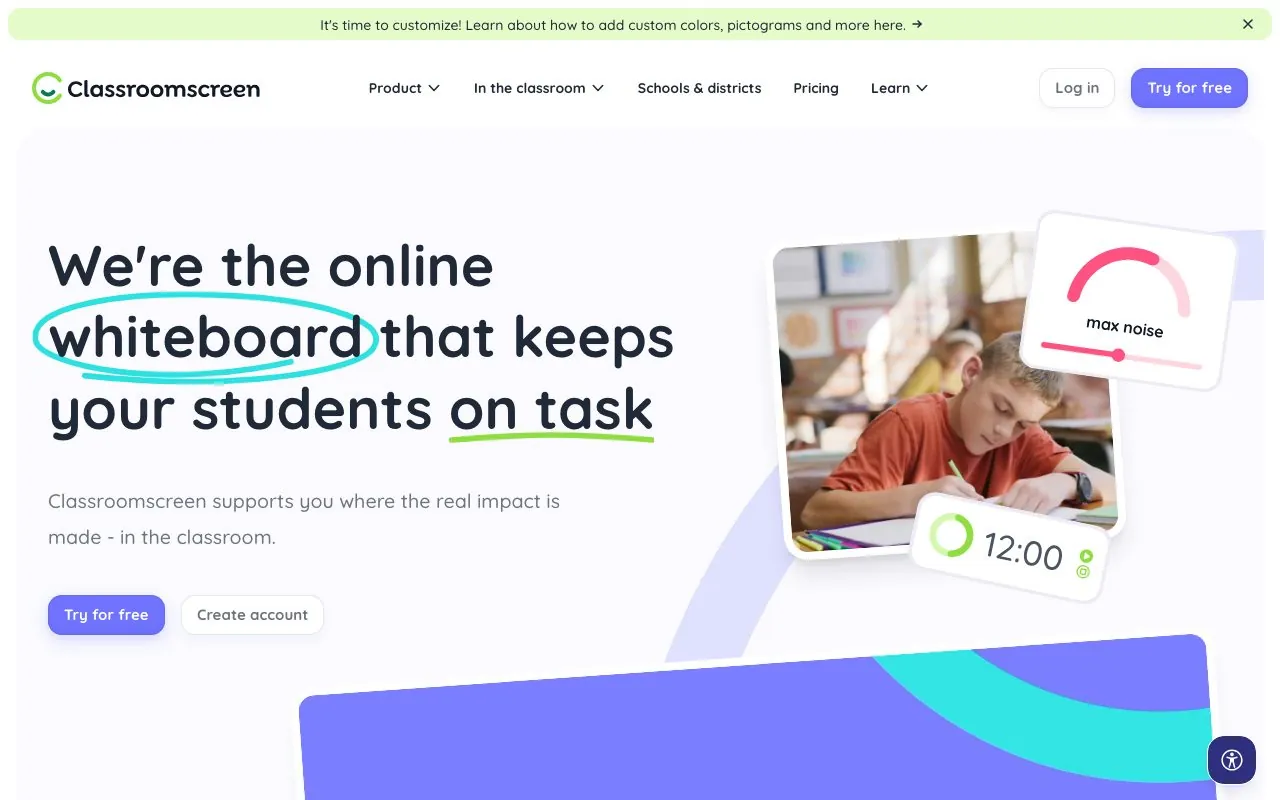
Classroomscreen is a digital whiteboard with widgets: timer, traffic light, random name picker, work symbols, and a sound level meter you can drop next to any of them. The meter shows a colored bar, lets you set a max threshold, and rings a bell if the class stays over the limit for ten seconds. You can pick which mic it listens to and mute it during instructions.
The pitch here isn't the meter, it's the dashboard. During a writing lesson I had the timer, today's instructions, and the noise bar on one screen, and it made the room feel weirdly well-run. Like air traffic control for nine-year-olds.
As a noise tool specifically, it's mid-table. The bar is functional but has zero charisma, and my students related to it the way they relate to the fire alarm panel: it exists, it is beige, moving on. If the meter is the main event for your class, look elsewhere. If it's one instrument in your cockpit, it's great.
Best for: upper primary and middle school, teachers who want one screen running the whole lesson.
Pricing: the sound level widget is free to use without an account; saved screens and some features need an account, with paid plans for power users.
The honest con: the meter itself is the plainest on this list, and it does nothing to make students want quiet.
6. Calm Counter
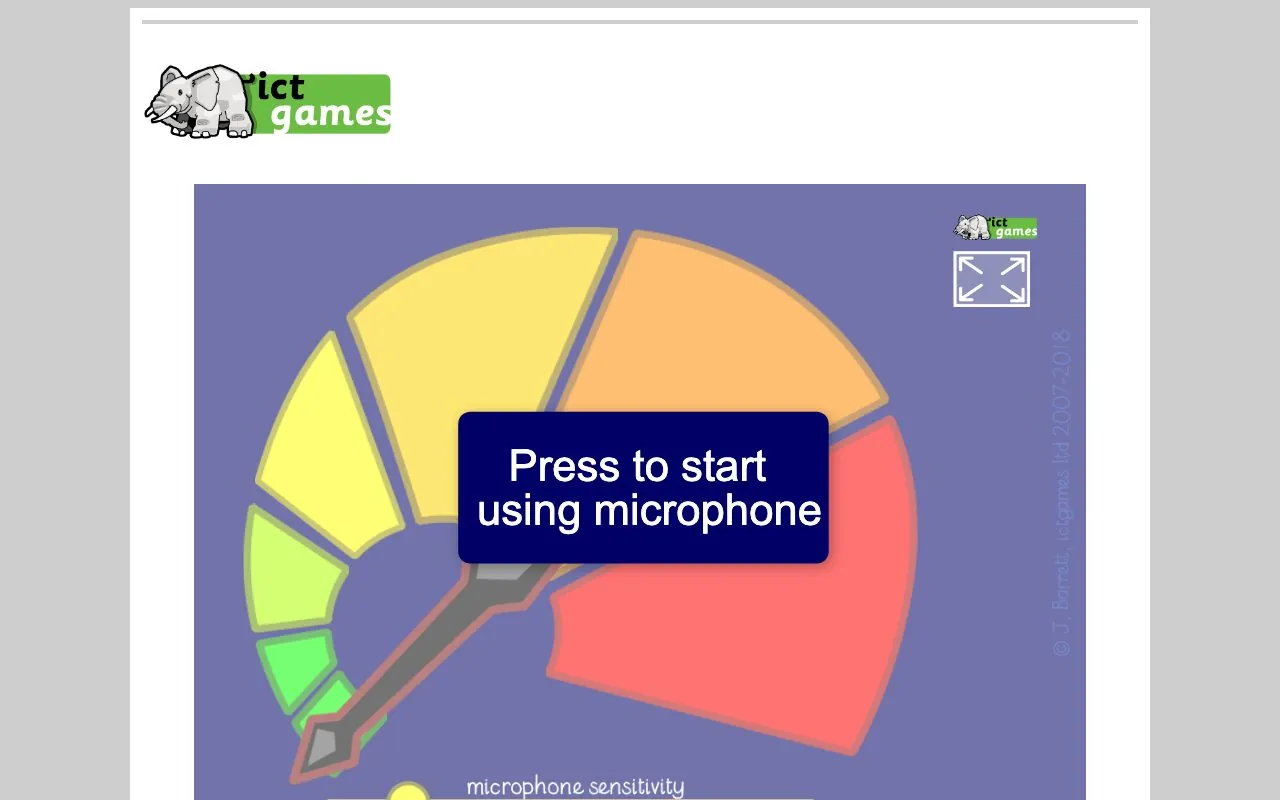
Calm Counter, from the ictgames site, is the minimalist of the group. A clean meter, a sensitivity slider, and nothing else asking for your attention. It states plainly that no sound data leaves your machine, which I appreciate, and it's completely free.
I used it during silent reading with my oldest group and it did exactly what it should: sat there quietly, measured honestly, and never once played a sound effect. For older students who find cartoon jungles insulting, this respect-your-intelligence approach can actually land better.
But there's no hook. Nothing grows, nothing hatches, nobody earns anything. With younger kids it held attention for about ninety seconds. It's a measuring tool, not a motivation tool, and whether that's a con depends entirely on your class.
Best for: grades 5 and up, silent work, minimalists.
Pricing: free.
The honest con: visually flat, and with no engagement mechanic it relies on your class already wanting to be quiet, which, if they did, you wouldn't be reading this.
Quick comparison
| Tool | Free tier | Paid | Best grades | Engagement hook | Sensitivity | Audio stays on device |
|---|---|---|---|---|---|---|
| Classroom Noise Monitor | 5 themes, 30-min sessions | $20 one-time, lifetime | K-6 | Themes, milestones, reacting scenes | Yes, mid-session | Yes |
| Bouncy Balls | Fully free | None | K-3 | Bouncing balls (cuts both ways) | Basic | Yes |
| Too Noisy | Free mobile app; web is 30-day trial | Subscription (web), Pro app | K-5 | Face, stars, alarm | Yes | Yes |
| ClassDojo noise meter | Free | Free | K-5 | Dojo points (separate feature) | Basic | Account-based platform |
| Classroomscreen | Widget free, no login | Paid plans for saved screens | 3-8 | None, it's a dashboard | Yes | Yes |
| Calm Counter | Fully free | None | 5+ | None, by design | Yes | Yes |
Quick picks: chaotic K-2 class, go Bouncy Balls for day one and ours when the novelty dies. Already a Dojo school, use Dojo. Want one dashboard running your whole lesson, Classroomscreen. Older students and silent work, Calm Counter.
Tools I tried that didn't make the list
Zero Noise Classroom is a nice idea, a stopwatch that only counts while the room is silent, but it's a Chrome extension that effectively limits it to ChromeOS setups. The Scratch Noise'O'Meter from MIT is a fun DIY project and a great math lesson about decibels, but as a daily classroom tool it's too fragile. Classcraft's volume meter, still listed in articles from 2022, no longer exists in usable form after the platform changed direction. And the physical wall units like Yacker Tracker work, but they cost real money and this list is about tools that are one browser tab away.
How to use a noise monitor without it backfiring
My first week with a noise meter was a disaster, and it was my fault. I projected it with no explanation, and my class treated it as a carnival game. Lesson learned: the tool doesn't set expectations, you do.
What works now. Before the meter goes up, we agree on what the target is for this activity: silent reading means the bar stays green, group work means workplace hum is fine. When the class helps pick the threshold, they police it themselves, and a ten-year-old enforcing a rule they voted for is a force nature cannot stop.
Use it for specific activities, not all day. A meter that's always on becomes furniture. And check your mic placement: a laptop next to the AC unit or by the door will lie to you. Middle of the room, roughly student height, makes a real difference. Recalibrate when you change rooms, because every room has a different baseline, and a hall with hard floors reads louder than a carpeted classroom at the same actual volume.
A note on privacy, because someone will ask
The question I get from colleagues and admin alike: is this thing recording my students?
For the tools on this list, the pattern is reassuring. Our tool, Bouncy Balls, Calm Counter, and Classroomscreen's widget all analyze sound on your device and send nothing anywhere. The mic level is read in your browser, turned into a number, and thrown away. ClassDojo's meter sits inside an account-based platform, so the meter itself isn't the privacy question there, the platform is, and your school has hopefully already had that conversation.
Frequently asked questions
What is the best free online noise monitor for a classroom? For a completely free option, Bouncy Balls for younger students and Calm Counter for older ones. If you want something the class stays invested in past the first week, our free tier (5 themes, 30-minute sessions) is built for exactly that, and yes, I'm biased, see everything above.
How do classroom noise meters work? They use your device's microphone to read the room's volume in real time and show it visually: a bar, bouncing balls, or a scene that reacts. The good ones let you adjust sensitivity so "group work loud" and "fire drill loud" aren't treated the same.
Do online noise monitors record my students? The reputable ones don't. Every browser-based tool on this list processes audio on your device without recording or transmitting it. Always check for an explicit statement.
What's a good noise level for a classroom? Guidelines for classrooms generally aim for around 35 to 40 dB of background noise for focused work, though the number matters less than the contrast: what you actually need is a working level your class can hold for the activity at hand. That's why calibration and sensitivity sliders matter more than exact decibels.
Do noise meters actually work? They work at making noise visible, and that alone changes behavior for a while. They are not a substitute for norms. The meter is a mirror, not a manager. Pair it with agreed expectations and it helps a lot. Project it and pray, and it becomes a toy.
The one I'd tell a friend to use
Yes, I ranked my own tool first. I built it because of everything the other five taught me, so of course I did. But I've also just handed you five ways to ignore me.
Here's what I'd actually tell a friend: pick two tools from this list and run them side by side for a week each. Same class, same activities. Your students will tell you which one works, usually without being asked. If you want to start with ours, the free themes are open, no signup, right on the homepage. Bring a loud class and see what happens when the eggs start hatching.